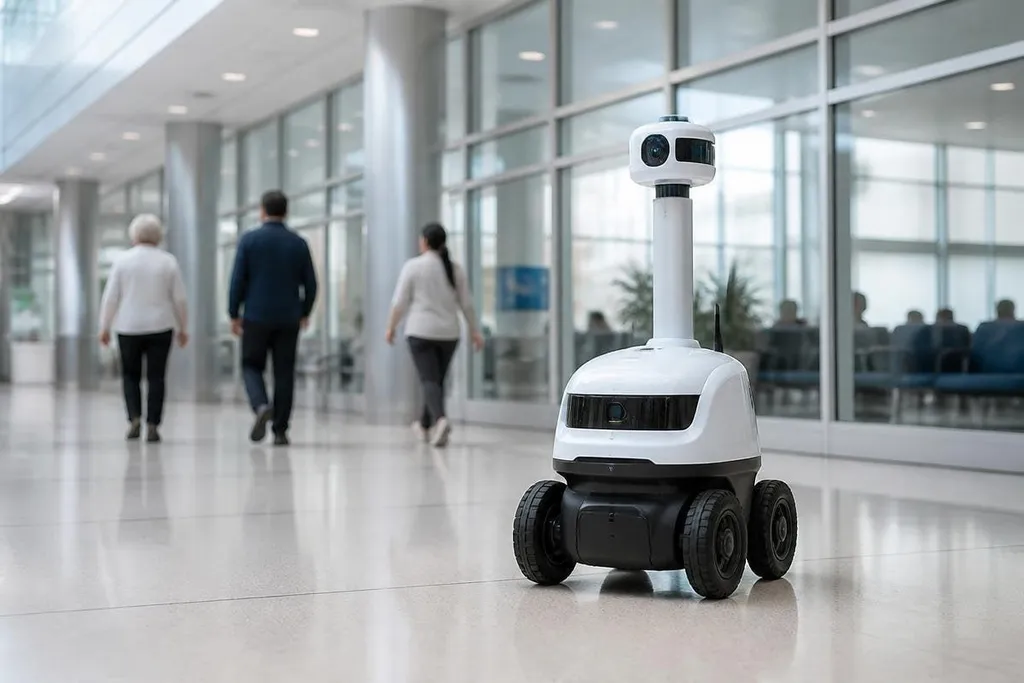
A surveillance robot can patrol a site for hours, send live video, and flag movement without putting a person in the same place. That can help at a warehouse, utility site, or hospital, but the same sensors can record people who were never the target.
- Mobile cameras can reach areas fixed cameras miss
- Thermal sensors can detect heat when ordinary cameras struggle
- Stored video creates a privacy and security duty
What surveillance robots can do
Most surveillance robots combine cameras with software that spots changes in a scene. A wheeled robot may follow a set route through a building, stop at marked points, and send video to a control room when it detects motion.
That movement matters on large sites. A fixed camera sees one angle, while a mobile robot can inspect several doors, loading bays, corridors, or fences during one patrol.
The robot can also carry a thermal camera, which measures heat rather than visible light. Thermal images can help find a hot motor, a person in poor light, or a fire risk, but they don't explain what caused the heat.
Some robots carry LiDAR, a sensor that measures distance with laser pulses. LiDAR can help the robot build a map and avoid walls or equipment. It doesn't replace a person who must decide whether a blocked route signals danger, a normal delivery, or a fault in the robot's map.
For an operations manager, the useful question is narrow: which tasks need a moving sensor, rather than another fixed camera or a person on patrol? If the site has blind spots, changing layouts, or areas that are unsafe to enter, a mobile system has a clearer case.
The benefits depend on the job
From a remote area, the system can send a video clip before a worker walks there. That may cut unnecessary trips and give a supervisor more information before assigning a response. The benefit comes from earlier information, not from the robot making the final decision.
Robots can also repeat the same patrol route at set times. Repeated routes make it easier to compare a new image with an earlier one, such as a damaged fence or a pallet left in a fire lane. A site still needs a person to review alerts, because software can flag harmless movement and miss an event outside its trained patterns.
A patrol robot can leave behind more than a live view. Footage, audio, maps, and operator logs may remain after the route ends, so surveillance robotics reporting from Robot24.com can help tie those records to the machine’s purpose and storage rules before the risks begin.
Where the risks start
A moving camera changes the privacy problem. People may expect a camera at a building entrance, but a robot can follow a route through work areas and collect video from places that were not planned as camera zones.
Facial recognition makes that risk sharper. A system that records a person is different from one that tries to name them. If a site does not need identity, it should not collect identity data. The same rule applies to audio: a microphone can record private conversations that have nothing to do with site security.
Stored video creates another target. Access controls, encryption, retention limits, and audit logs decide who can view footage and how long it remains available. A robot with weak network security can expose its camera feed, location, or control link to someone outside the site.
There is also a safety risk. A robot moving near workers needs speed limits, obstacle detection, clear warning signals, and an emergency stop that people can reach. A false alert wastes staff time. A missed alert can leave a real hazard unchecked.
A practical buying checklist
Before a pilot, check these points with the site team:
- Define the route: mark the rooms, outdoor areas, and times the robot may enter.
- Limit the sensors: choose cameras, microphones, or thermal imaging only when the task needs them.
- Set a retention period: decide when footage is deleted and record who can change that rule.
- Test false alerts: run the robot near normal workers, vehicles, shadows, and moving equipment.
- Plan a human response: name the person who reviews an alert and the action that follows.
- Check a failure state: confirm what happens after lost Wi-Fi, a blocked route, low battery, or a sensor fault.
I'd approve a surveillance robot only when the site can explain what it records, who sees it, and what happens after an alert.
What happens after the pilot
A useful pilot should measure patrol coverage, alert accuracy, response time, battery stops, and privacy complaints. Those records show whether the robot solved a defined security task or merely added another camera that moves.
The decision should come after that evidence. If the robot cannot cut blind spots without collecting more personal data than the job requires, a smaller sensor setup or fixed camera is the better choice.